

Speed up your development with this new VS Code extension


A couple of developers recently built a VS Code extension, Snipsnap, aimed at solving the problem of code snippet collections.
Snipsnap is a definitive snippet collection and VS Code extension that automatically gives you every available snippet for each library you use in your project.
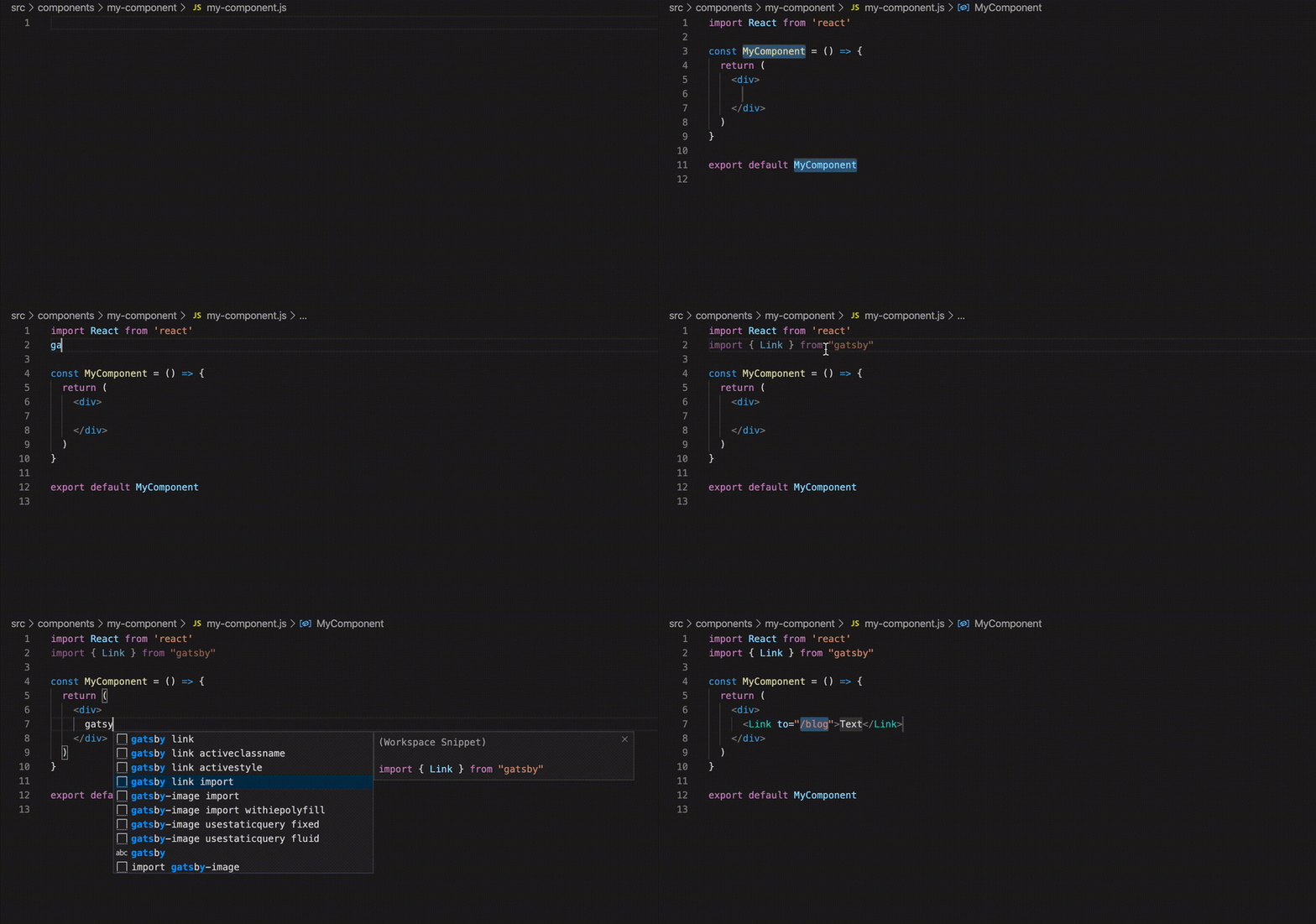
It already includes snippets for React, Redux, Gatsby, Next.js, and Vue. You can check the full list of snippets here.
🔥 What problem is Snipsnap trying to solve?
Problem #1 Almost every popular language has a huge number of libraries that people commonly use. Some are big, some are small. To use each one you have to remember a bunch of different syntax constructs. Code snippets help, but you're not going to create or install an extension for every small library. The idea is to have a single extension, Snipsnap, that fetches the relevant snippets based on the languages and packages you use in your current project.
Problem #2 Every snippet extension follows its own rules and uses unpredictable shortcuts like "rccp," "ecrp," "impp," etc. With those unreadable shortcuts, you can't search across all the snippets you have for a specific case. Snipsnap wants to change that by standardizing the snippet format and offering a clean, predictable search syntax, along the lines of library-name keyword, so you can always type your library's name and get the full list of available snippets.
Problem #3 Every IDE has its own snippet format, incompatible with the others. An IDE-independent snippet format would make it possible to build Snipsnap extensions for every popular IDE and, using converters, transform snippets from one format to another.
🛠️ How it works
The Snipsnap extension for VS Code scans your package.json (or yarn.lock) and looks up the server for the snippets available for your project's packages. In other words, you no longer need to install separate snippet extensions for the frameworks and libraries you use.
The Snipsnap extension creates the snipsnap.code-snippets file inside the .vscode folder with all the snippets, so they'll be available even to other developers who haven't installed the extension.
Snipsnap looks for new snippets:
- when you open a folder
- when you run the "Snipsnap: Fetch the snippets" command from the command palette. All the snippets currently in this repository follow the guidelines described below.
🗓️ Plans and project vision
The current version could be considered an MVP, with a single goal: validate the idea and gather early feedback. If you like the extension, star the repository, share your experience with its authors, or help improve the project.
The intention isn't to stop at JavaScript snippets, but to turn this into a standard for every popular language and its package managers. So covering libraries for Ruby, Go, Python, and PHP is also part of the plan.
The bet is that snippets can become the perfect solution for offering simple documentation and examples. Code snippets should be part of package repositories, just like README files. You build your library, ship the snippets with it in a .snipsnap.json file, and Snipsnap fetches them.
A standardized collection would make it possible to write extensions and converters for every popular IDE, finally making code snippets IDE-independent. Imagine that in a couple of years a great new IDE comes out: instead of writing a whole new batch of snippets for it, you could keep using Snipsnap and the collection you'd already built.
💡 Your opinion counts
The authors are very interested in knowing what you think of Snipsnap. You can let them know by leaving a comment or opening an issue on GitHub.
