

20 Docker Commands and Their Use Cases for Developers


Technology really pays off when you know how to work with it, and Docker is no different. Teams adopting Docker for the first time usually do it on DevOps's recommendation. But DevOps doesn't always know how to explain how the team should use it without putting the advantages of their existing system at risk.
Here you'll find use cases for specific commands, what each one does, and demos. Share it with your development team to get ahead of their questions when you adopt Docker at your company.
docker build
docker build --rm -t docker-examples:latest .
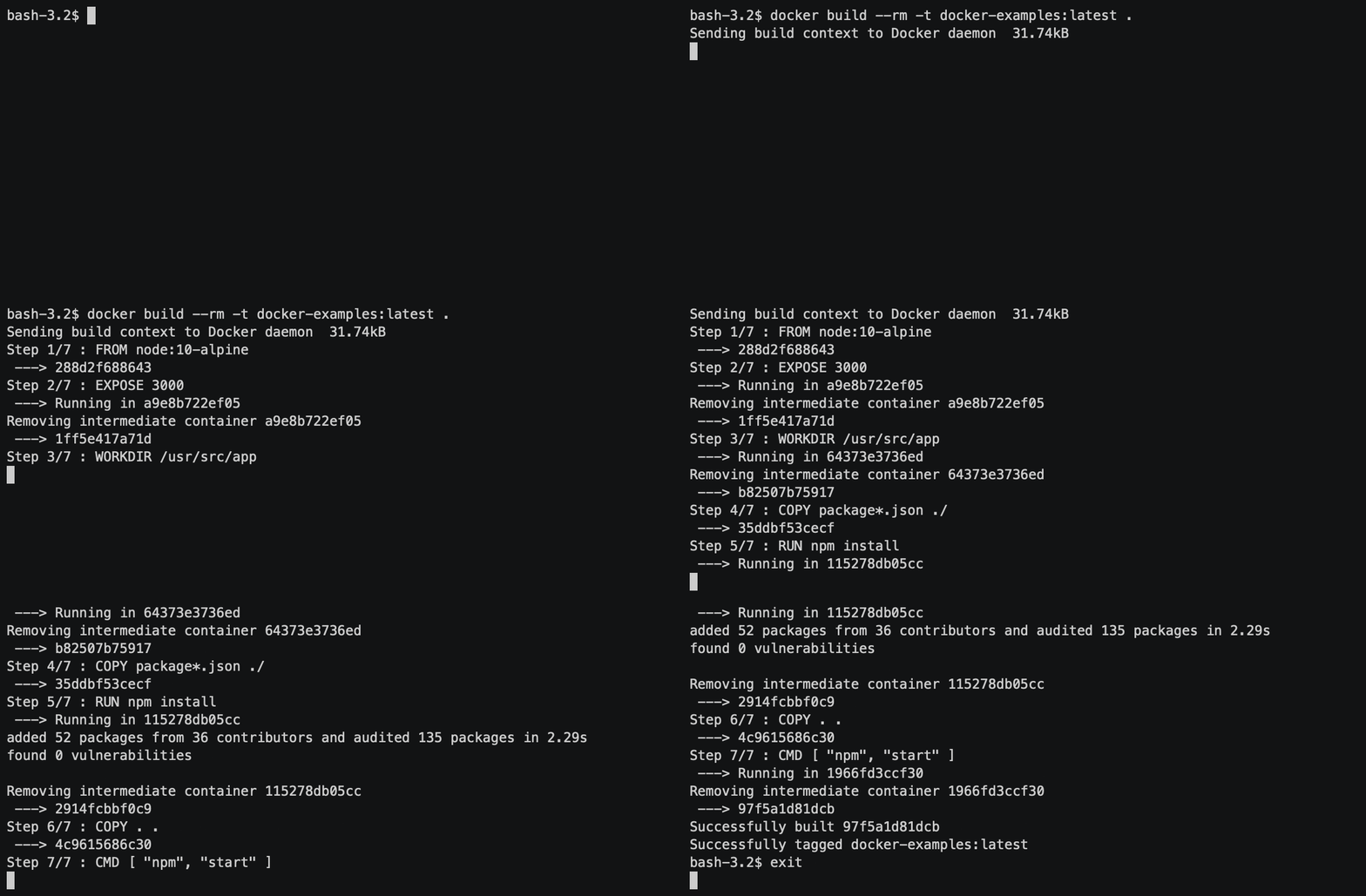
Use case: You don't have a docker-compose file, just a dockerfile. You want to run your service, but first you need to build it.
Details: Builds an image from a dockerfile.
--rm removes the intermediate container once the build finishes successfully. Without that option, after the build you'll see something like this in your container list:

-t tags the images you build; otherwise it's hard to tell at a glance what they contain.

VS Code shortcut

docker build --rm -t --no-cache docker-examples:latest .
Use case: You didn't pin the version of a package you depend on and want to update it to the latest, but you haven't changed the dockerfile and Docker keeps using the cached layers.
Details: Forces Docker to rebuild the image from scratch.
docker run
docker run -d -p 4000:3000 docker-examples:latest
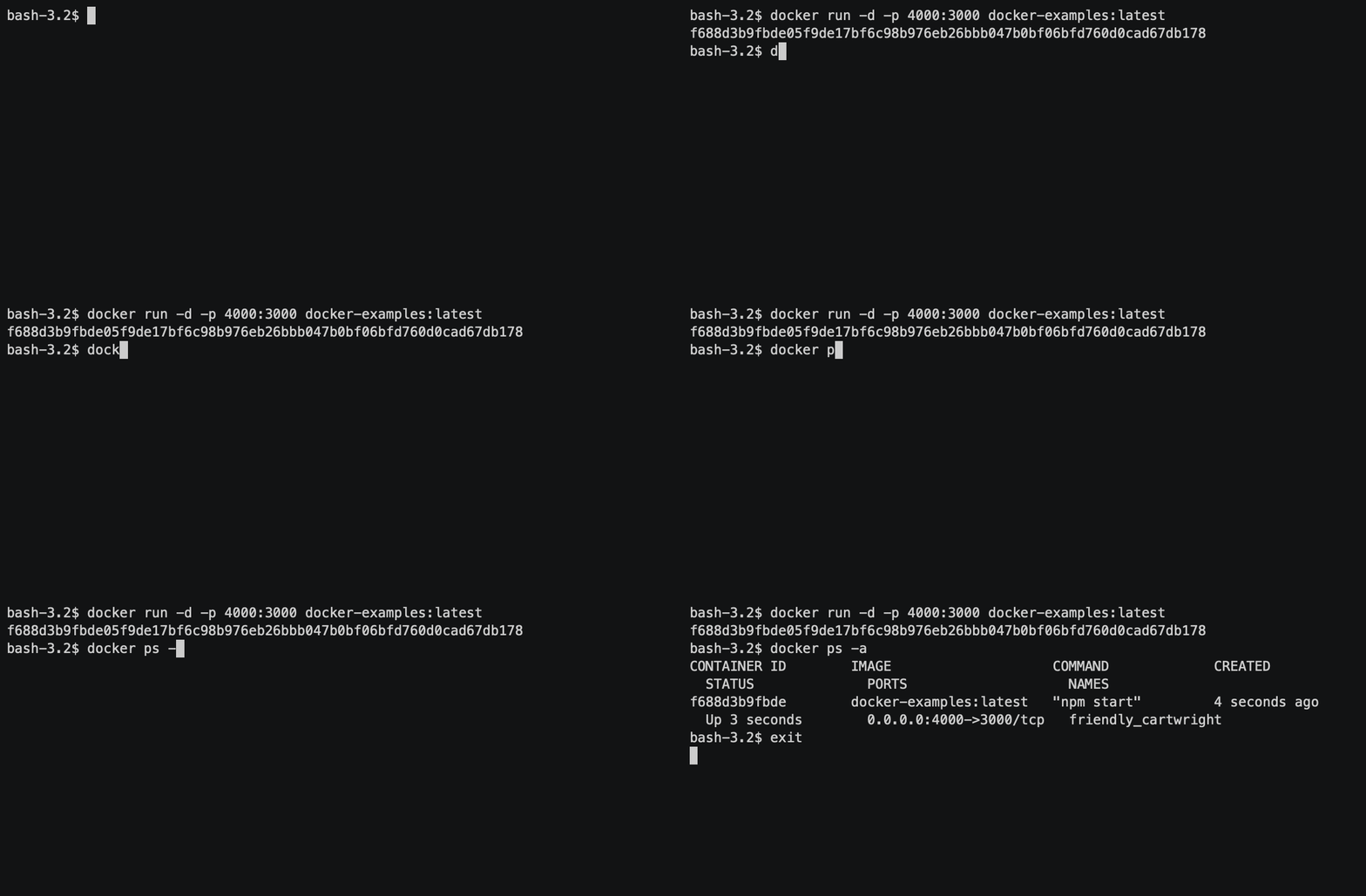
Use case: You've built a Docker image and want to run it. The app inside the container uses port 3000, but on your local machine you want to use port 4000.
Details:
-d runs the container in the background and prints its ID.
-p publishes the container's port to the local machine's port host_port:docker_port.
VS Code shortcut

docker run docker-examples:latest

Use case: You want to run a Docker image and see/control the process in your terminal. Pressing Ctrl+C also exits the container.
docker run -t -i docker-examples:latest node

Use case: You want to run a specific command or tool inside the container, use it, and then start a new instance of the container. For example, if you want to access the node.js console and run something. For already-running containers, see also docker exec.
docker stop
docker stop container_name
Use case: You need to stop a container that's already running.
Details: You can find the container's name with the command "docker ps -a".
VS Code shortcut

docker stop $(docker ps -a -q)
Example: Stop all containers
docker ps
docker ps -a

Use case: You're checking the container list and looking for the name of the one you need to stop. It's also useful to see each container's status and exposed ports.
VS Code shortcut

docker logs
docker logs -f container_name

Use case: Your service failed to start and you want to know why. You might also want to follow a service's logs continuously.
Details: Shows a specific container's logs; works with both running and stopped containers.
-f enables log output following.
VS Code shortcut

docker kill
docker kill $(docker ps -q)
Use case: Docker has let you down and you want to kill everything related to it.
Details: Kills all running containers.
docker rm
docker rm $(docker ps -a -q)
Use case: Your container list is a mess and you want to clean it up.
Details: Removes all stopped containers
docker system
docker system prune

Use case: You want to get rid of everything you're not using.
Details: Removes all unused containers, networks, and images (both dangling and unreferenced), and optionally volumes.
VS Code shortcut

docker rmi
docker rmi $(docker images -q)
Use case: You need more disk space.
Details: Removes all images
docker exec
docker exec -it container_name /bin/sh

Use case: While running, a container returns a connection timeout error on a "get" request to example.com. You can connect to the container and run curl/ping.
Details: Runs a specific command or tool inside the container and lets you use it in there. Very useful for debugging and understanding what's happening inside the Docker container.
docker-compose up
docker-compose up

Use case: You have a docker-compose file with several services and want to build them, run them all, and see their output.
docker-compose up -d

Use case: You want to build and run all the services in the background and check their status later.
VS Code shortcut

docker-compose up -d example-service-1
Use case: You want to run a specific service (by the name in the docker-compose file) so it uses all the ports and volumes declared for that service in your docker-compose.
docker-compose down
docker-compose down
Use case: You need to stop all the services declared in a docker-compose file. It stops the containers and removes the networks, volumes, and images created for each one. Useful when you want to start from scratch.
docker-compose run
docker-compose run example_app rails db:migrate
Use case: You need to run a specific task your service provides, like migrations or tests. It works similarly to docker run, but you can trigger the task using the service name from your docker-compose file. Keep in mind that when using "run", the ports declared in docker-compose won't be published unless you use --service-ports.
docker-compose exec
docker-compose exec example_app node

Use case: You want to get into a running container and run something, just like with docker exec. The difference is you access it by service name. Useful for debugging, testing networking, or checking that all the data is inside the Docker container.
docker-compose logs
docker-compose logs -f container_name
Use case: Your service failed to start and you want to know why.
Details: Shows a specific container's logs, whether running or stopped. Unlike docker logs, here you use the service name instead of the container name.
-f enables log output following.
docker-compose stop
docker-compose stop example_app
Use case: You want to stop your container by service or container name.
docker-compose restart
docker-compose restart example_app
Use case: You want to restart a container by service or container name.
Want to read more about Docker?
These articles will help you understand Docker even better:
